Live gauge dashboard
RPM, speed, coolant temperature, and customizable gauges — real-time updates while driving.
Turn your car into a smart car
Your daily companion for safe driving and a healthy car — live gauges, fault diagnostics, maintenance reminders, and a voice assistant. Works with ELM327-protocol compatible OBD-II Bluetooth adapters.
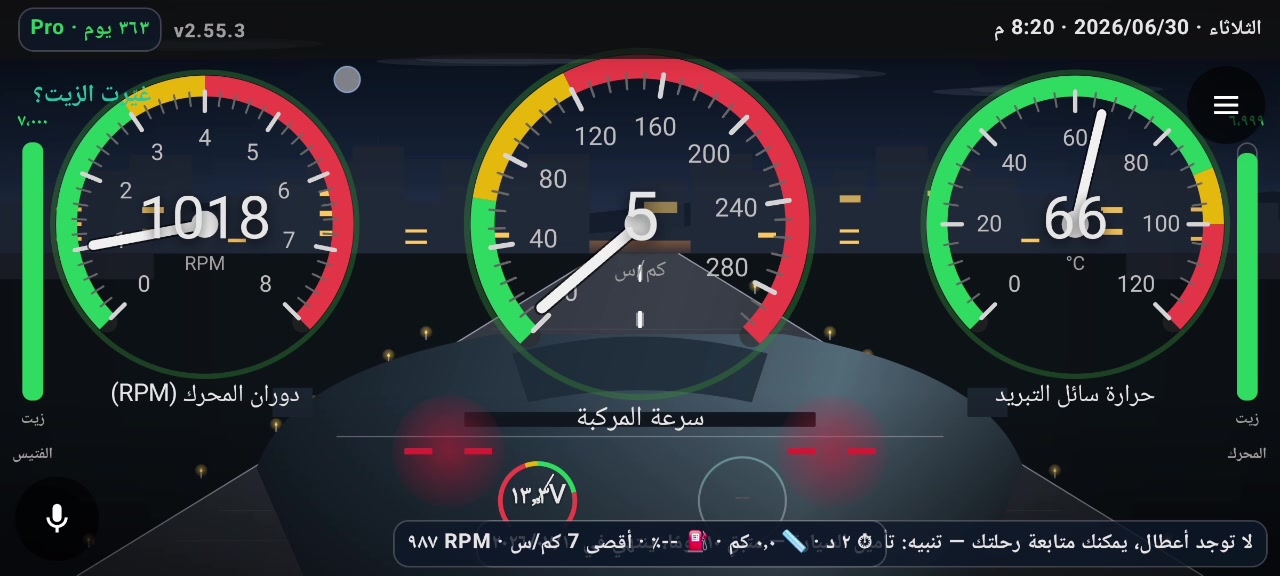
Live dashboard — RPM · Speed · Coolant · Alerts
Demo video
A quick tour: connect to your car, live gauges, fault codes, and oil maintenance — as shown on the in-car screen.
Tap ▶ to play — no audio · full in-car landscape view
Screenshots
Wide in-car head-unit captures — full UI as shown on screen. The app also runs on phones.
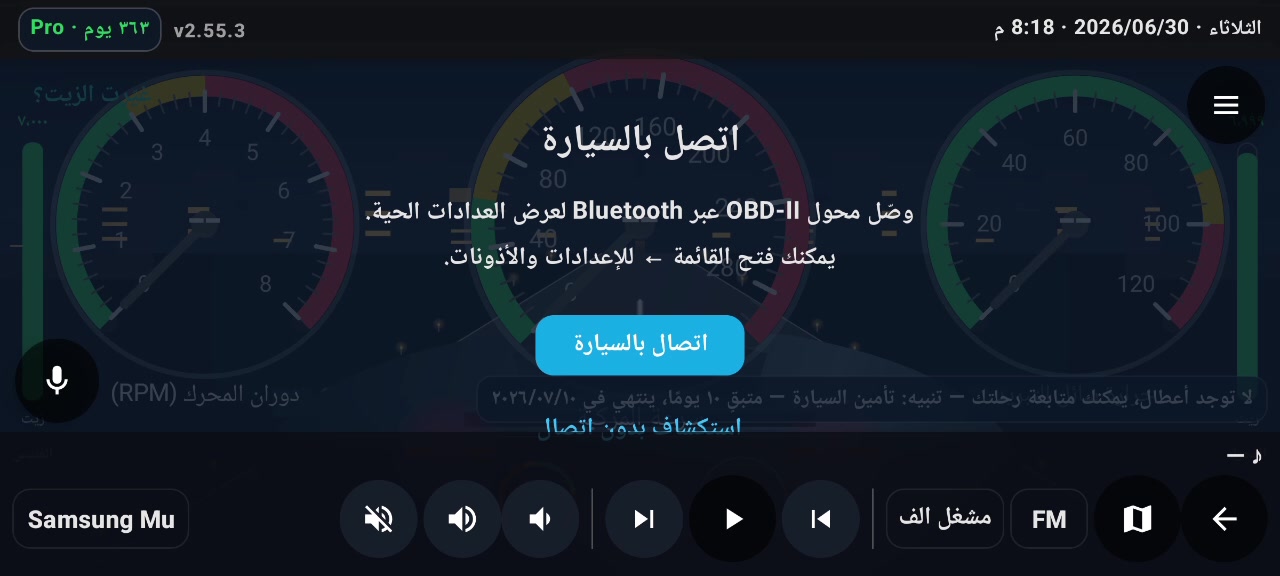
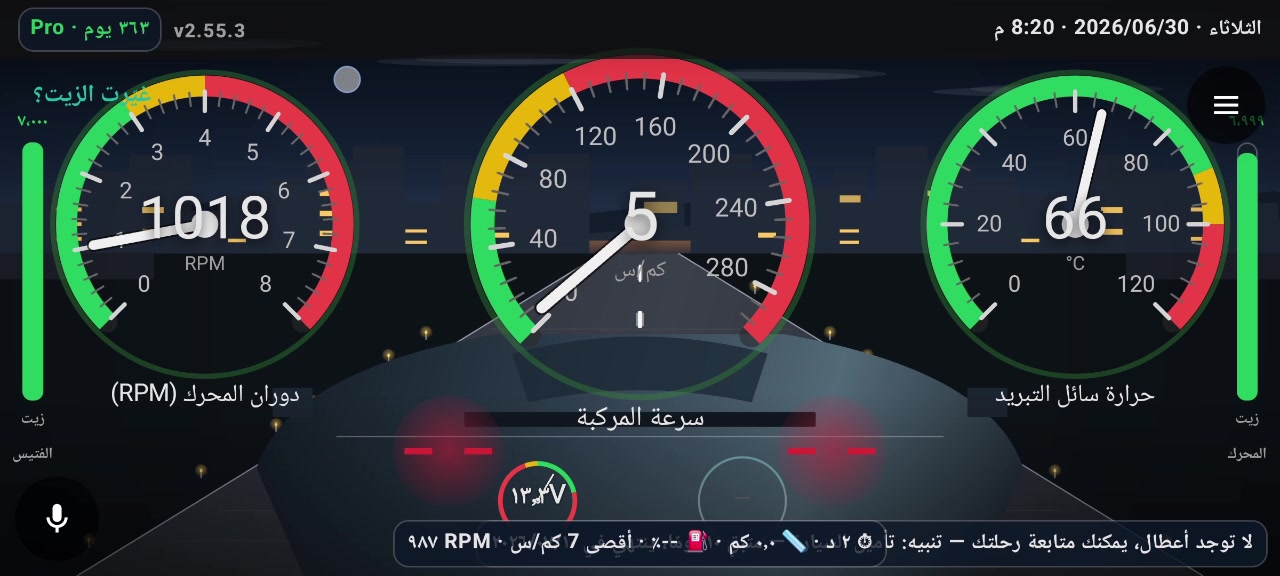
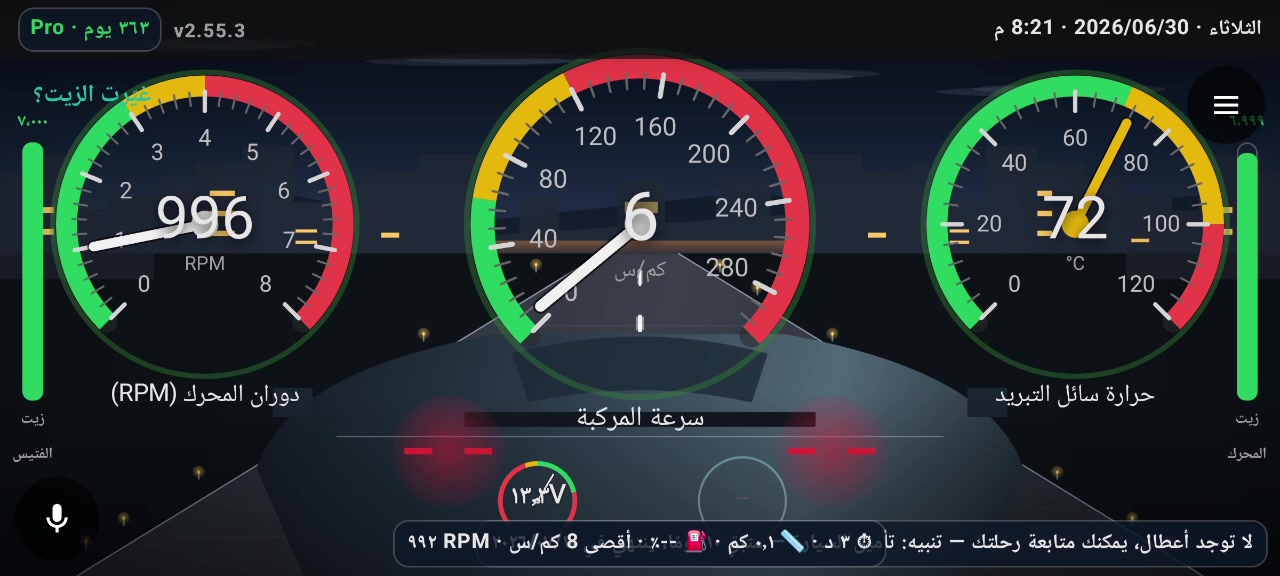
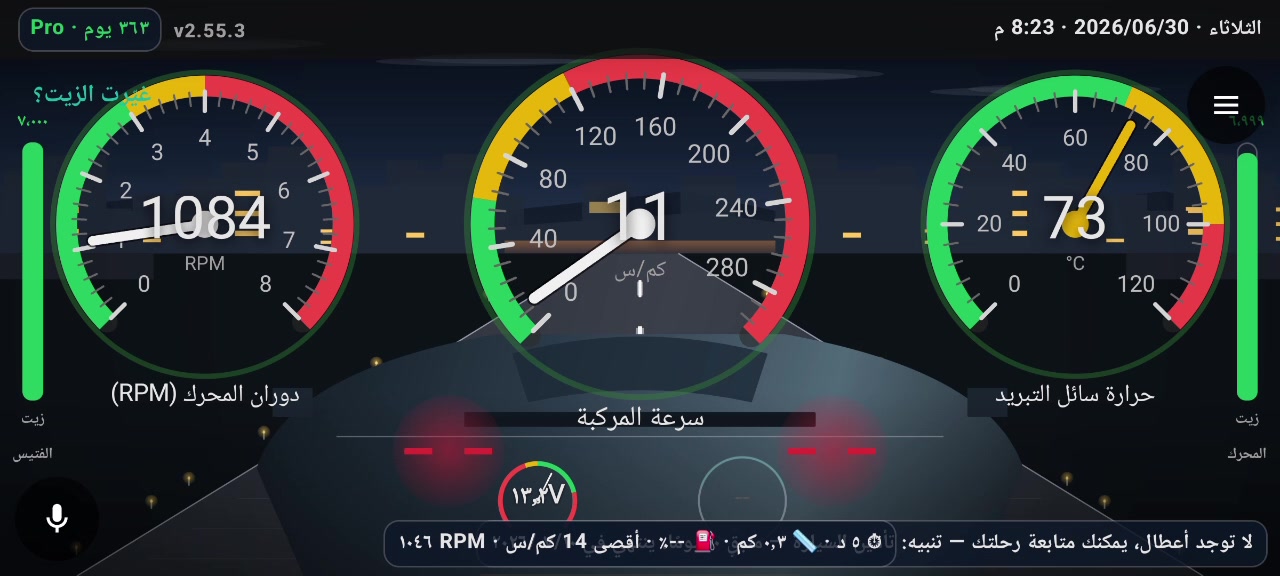
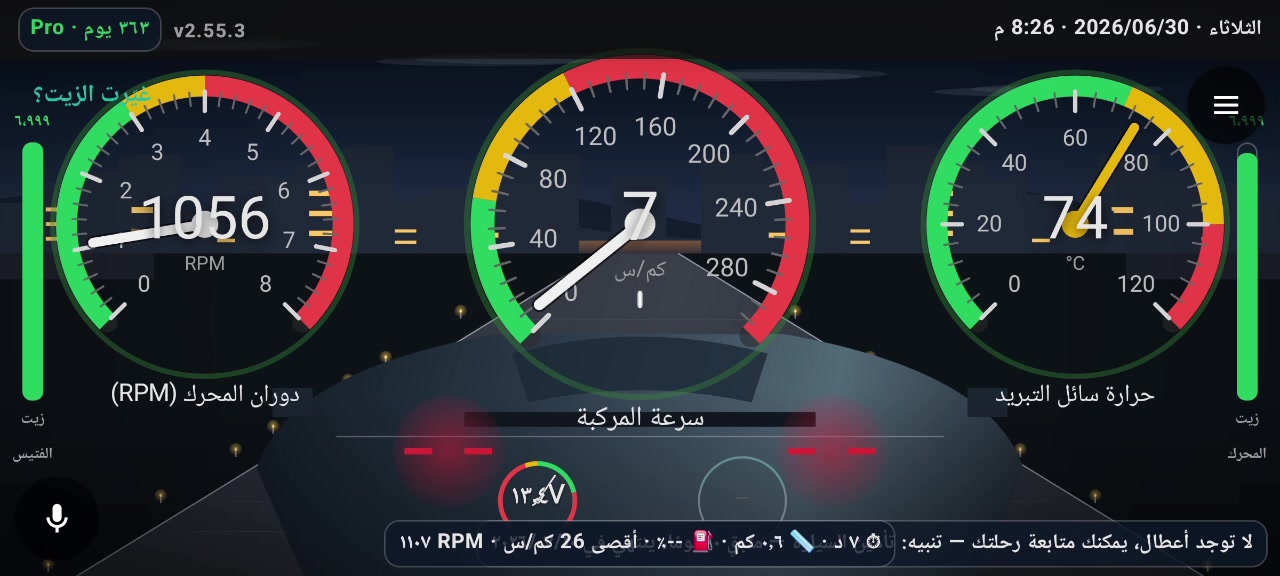
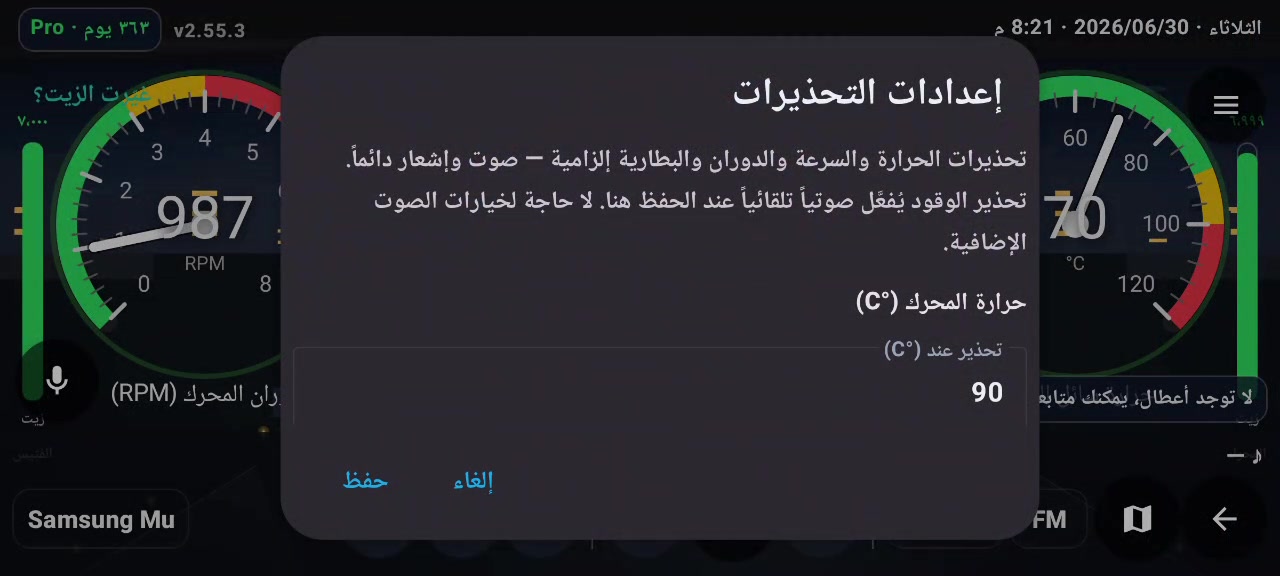
Car screens are landscape — we show full-width shots here.
Features
From live engine data to oil-change reminders — practical tools for daily drivers and diagnostics enthusiasts.
RPM, speed, coolant temperature, and customizable gauges — real-time updates while driving.
Read trouble codes with Arabic and English descriptions. Export reports and share with your workshop.
Track remaining km for engine oil and gearbox fluid — alert bar on the dashboard.
Push-to-talk only — no background listening. On-device speech recognition.
Temperature and speed warnings — visual and voice (by plan). SOS free for everyone.
Works with in-car displays — use responsibly and avoid distraction while driving.
Getting started
No technical expertise required — OBD-II over Bluetooth or WiFi. See OBD setup for details.
Install from the official Google Play listing.
Plug an ELM327-compatible OBD-II adapter into your car. Pair via Bluetooth (PIN often 1234) — or use WiFi if needed.
Ignition ON. Tap Connect to car — the app handles the rest.
Monitor live data, read codes, and set maintenance reminders.
Important notice
Follow the steps for your phone or car screen.
Some head units cannot see Bluetooth OBD adapters — that is a hardware limit of the screen, not an app bug. Easiest fix: use a WiFi OBD adapter, then:
192.168.0.10 port 35000).Full guide: OBD-II setup.
Download
Official install via Google Play — phone or Android car screens. Updates come from the store. Subscribe inside the app after install.
Current availability
First 200 founders: 1 year Pro free. After that: 14-day Pro trial for each new user. When Pro ends, a free tier remains — speed, RPM, and coolant gauges only (online). Annual Pro: 100 EGP inside the app.
Pro
All features — full dashboard, alerts, diagnostics, oil, Pipa, media
Free
Speed + RPM + coolant — read-only, online
100 EGP/year
Inside the app after installing from Google Play
FAQ
192.168.0.10:35000). Or run the app on your phone if its Bluetooth sees the adapter. See connection notice and OBD setup.Install the app — pair your OBD-II adapter — and get a live dashboard in minutes.
Get it on Google Play — Your Car's Safety